Use Backup Teamleader from the console
Console mode allows running the backup with reproducible parameters. Open a terminal in the folder containing backupTL.exe and first verify the options available in that version.
Quick path
.\backupTL.exe --help
.\backupTL.exe --silent --destino "C:\backup_teamleader"
The second command runs a backup without extended output and saves the result to C:\backup_teamleader.
Test before automating
Run the command manually and check its exit code, messages and generated files before adding it to Task Scheduler or another process.
Confirmed parameters
| Parameter | Action |
|---|---|
--gui |
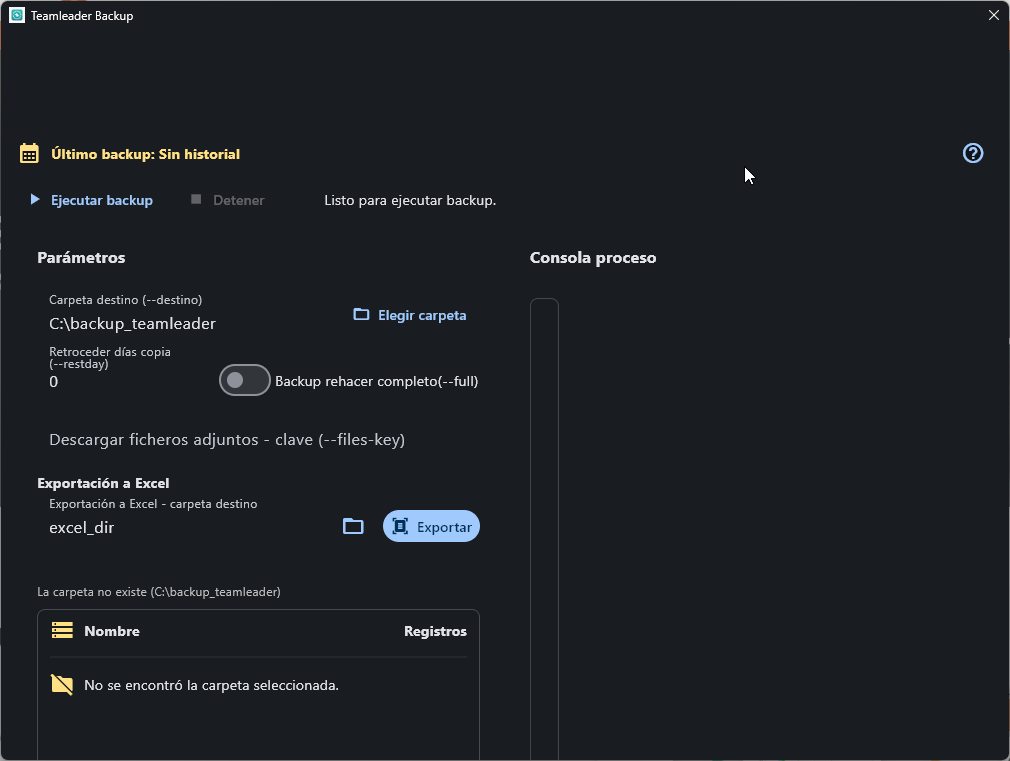
Opens the graphical interface (shows the main window with destination folder and Run backup button). |
--destino PATH |
Sets the backup folder. |
--silent |
Reduces information shown during execution. |
--full |
Forces a complete backup. |
--restday N |
Reviews changes from N days before. |
--lista |
Requests the list of entities available for backup. |
--enc |
Diverts execution to the legacy converter: reads .json files from the relative json folder and generates .encrypted files in backup. Does not run a Teamleader backup and does not use --destino for these paths. |
--json VALUE |
Diverts execution to convert .encrypted from --destino to the relative json folder, but only if VALUE matches the configured Client Secret. Does not run a normal backup. |
--excel_dir PATH |
Declared for compatibility, but the current CLI flow does not consume this parameter. Does not change the conversion folder or generate Excel. |
Legacy conversion and security
The --enc and --json options belong to a legacy flow separate from the backup:
--encconverts JSON to encrypted files using fixed relative foldersjsonandbackup.--json VALUEcomparesVALUEwith the Client Secret and, if it matches, converts.encryptedfrom--destinoto JSON.- An incorrect password cancels the conversion, but the current process may finish with exit code
0; check generated files and do not rely solely on the exit code.
Do not expose the Client Secret on the command line
The --json value may remain in terminal history, Task Scheduler and the process list. Do not use this parameter on shared machines or in automations. For JSON, prefer the Export action in the graphical interface until a CLI mechanism exists that does not receive secrets as arguments.
--excel_dir is not operational
Although it appears in --help, the CLI orchestration does not read this parameter. Do not include it in scripts or expect it to select an output folder.
Examples
Complete backup
.\backupTL.exe --silent --full --destino "D:\Backups\Teamleader"
Review the last three days
.\backupTL.exe --silent --restday 3 --destino "D:\Backups\Teamleader"
Verify the run
- Check the process exit code.
- Verify the folder contains updated
.encryptedfiles. - Keep the output and log when the run is part of an audited process.
- Do not include credentials directly in scripts, file names or visible arguments.
Next step
See Verify the result or go to Troubleshoot if the process ends with an error.
Enviar incidencia